
Sample Ticket: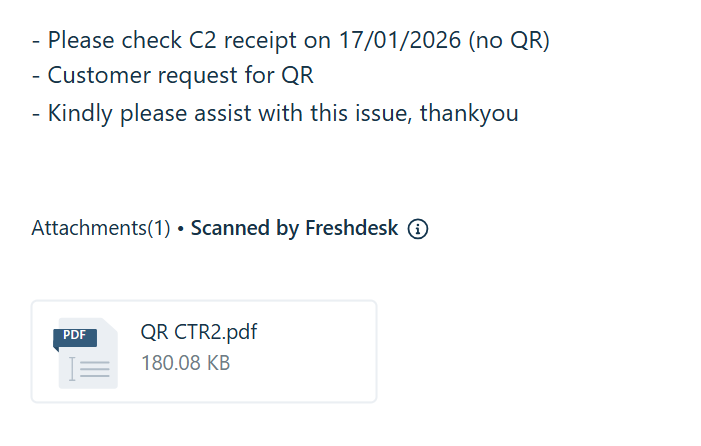
Solution:
Go to Customer's E-Invoice Portal. For example, I use here is MR DIY one:
1) Click "Transactions" Icon.
2) Type the Transaction number with format below, you can find from receipt: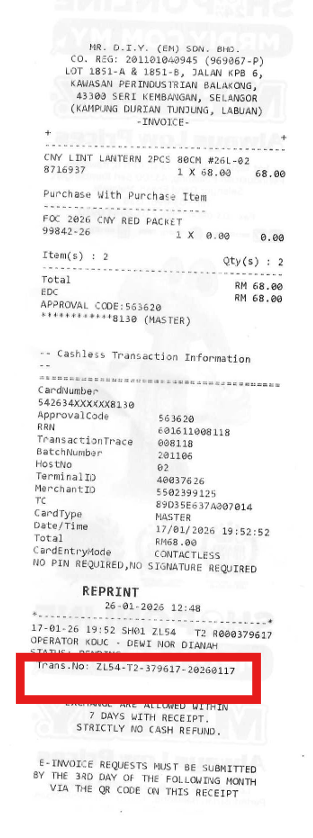
3) When Portal Can display the receipt, Click the Copy link icon on the right.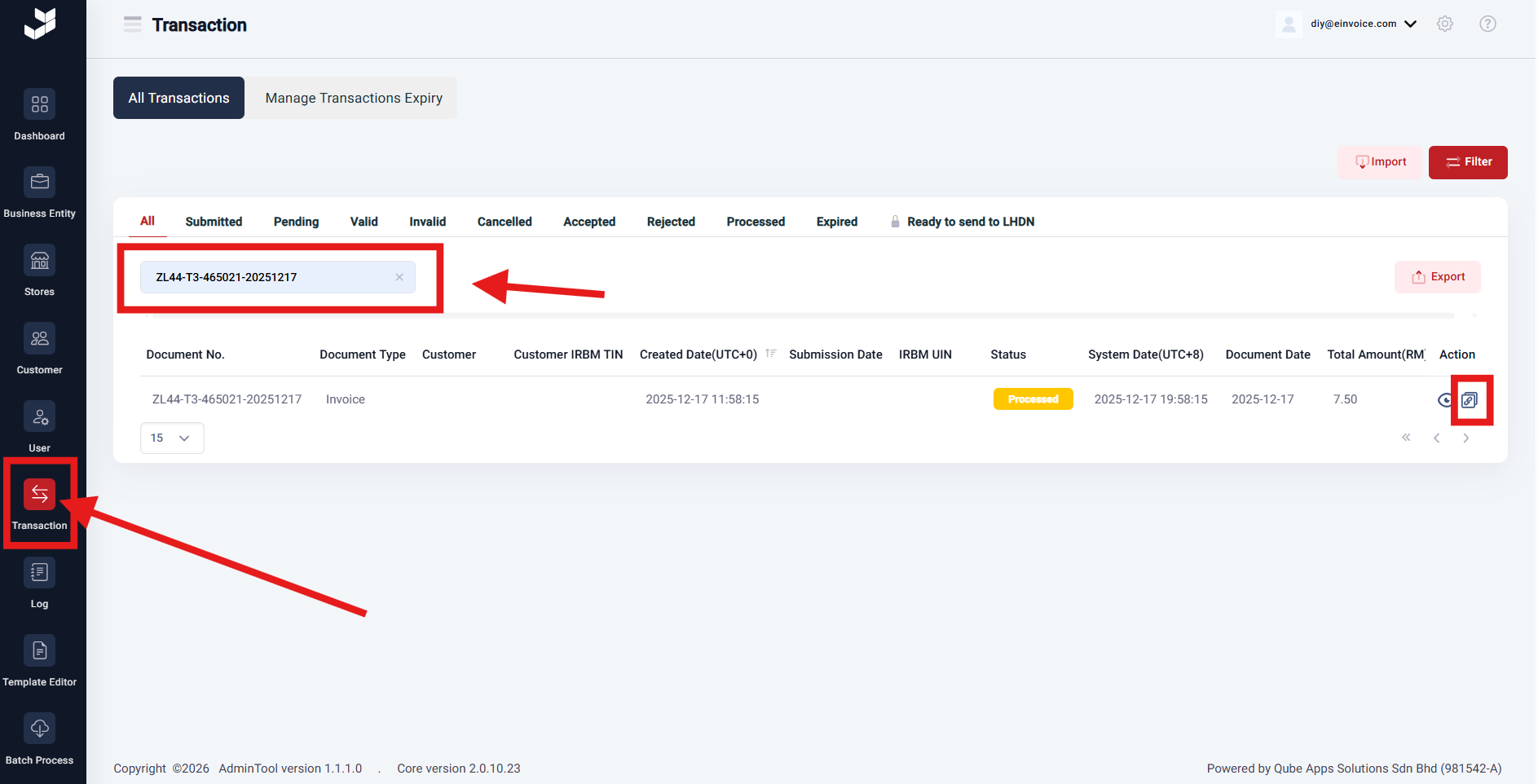
[General] Step to Request for QR E-Invoice Print
Created by: CHANG SHUN WEI
Modified on: Mon, 26 Jan, 2026 at 5:37 PM
Did you find it helpful? Yes No
Send feedbackSorry we couldn't be helpful. Help us improve this article with your feedback.